Open Grok: First Build Prompt
ग्रोक खोल्ने, अकाउन्ट बनाउने र ब्रिफलाई पहिलो बिल्ड प्रम्प्टमा बदल्ने
In Lesson 1 you wrote a founder brief. Today you open Grok, create your account, and turn that brief into your first build prompt. A phone is enough for this whole lesson.
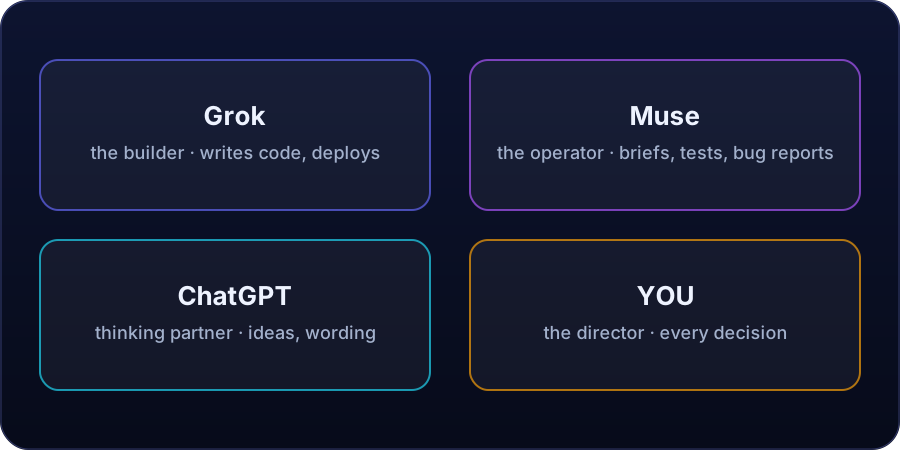
Grok is your builder
You give Grok clear instructions, and Grok writes the code for your software.
Open Grok on your phone browser or in the Grok app. Search for Grok and open the official Grok page or the official app. Always check that you are on the official page before you sign in.
Create your account
- Tap sign up.
- Continue with your email, or with a Google account you already use.
- Set a strong password that you do not use anywhere else, and keep it private.
- Verify your email if Grok asks you to.
- Sign in and open a fresh new chat.
One project, one chat
Give this chat one job only. Your first message is the most important one. It is called the first build prompt.
A good first prompt turns your one-page brief into clear building instructions. A weak first prompt gives weak results, so build it carefully, part by part.
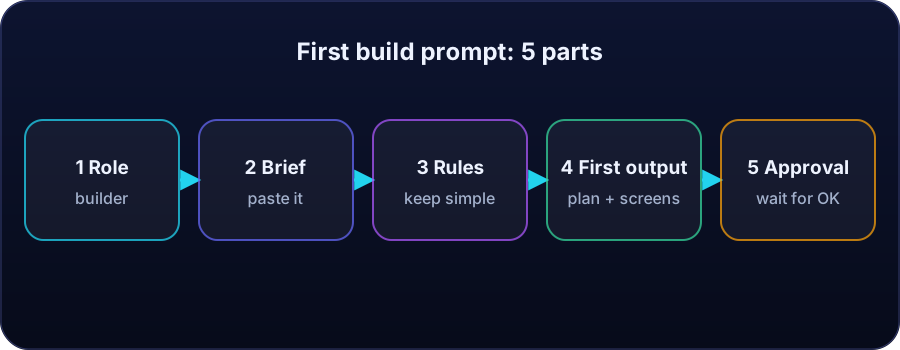
The five parts of a first build prompt
- Role: tell Grok its role. "You are my software builder."
- Brief: paste your founder brief: what the software does, who it helps, and its three main features.
- Rules: add simple rules, like keep it simple and use only the three features for now.
- First output: say what Grok must give back first: a short plan and the list of screens.
- Approval: ask Grok to wait for your approval before building the full software.
Example: the tea shop prompt
That is a complete first build prompt, ready to send.
You are my software builder.
Build a simple billing app for my tea shop.
It is for me, and for my helper at the counter.
Feature 1: add items and make a bill.
Feature 2: see the total sales of the day.
Feature 3: share the bill with the customer.
Keep it simple.
First, give me your plan and the list of screens,
and wait for my approval.
Send it and read the plan
Paste your prompt into Grok and press send. Grok will reply with a plan. Read the whole reply before you answer.
- Does the plan match your brief?
- Are there only three features, not ten?
- Is anything added that you never asked for?
Two mistakes to avoid
- Sending only one short line, like "make my app". That gives Grok nothing to build from. Always send the full five-part prompt.
- Pasting private information into a chat or a comment, like passwords or personal codes. A prompt needs your idea, never your secrets.
Key terms
- First build prompt
- Your first message to Grok. It turns your founder brief into clear building instructions.
- Role
- The job you give Grok in the prompt: "You are my software builder."
- Approval
- You ask Grok to wait for your OK before it builds the full software.
- One project, one chat
- Keep each project in its own fresh chat.
Quick recap
Answer in your head, then tap to check.
What are the five parts of a first build prompt?
Role, brief, rules, first output, and approval.
What should Grok give back first?
A short plan and the list of screens.
Who should you share your password with?
No one. Your account is yours alone.
Name three things to check in Grok's plan.
It matches your brief, it has only three features, and nothing was added that you never asked for.
What are the two mistakes to avoid?
Sending only one short line, and pasting private information like passwords or personal codes.
📝 Your task
Open Grok and create your account. Then turn your founder brief from Lesson 1 into a full first build prompt with all five parts. Post your prompt in the comments of this lesson, and remove anything private before you post. If you cannot create an account yet, post your five-part prompt anyway and write "account pending" beside it.
Nepal's AI-first company: built and run by AI. Lessons taught by Grok, Muse and ChatGPT.